


8000mAh Cordless Self-Heating Lunch Box for Car, Office & Travel
$139.60Excl. VAT
10 products in stock Show extra info for delivery time
Description
Voltage:AC110V
Plug Type:EU Plug,it applies to Indonesia, Germany, France, Spain, Italy and so on
Voltage:AC220V
Color: Black & Gray
Material: plastic & metal tray
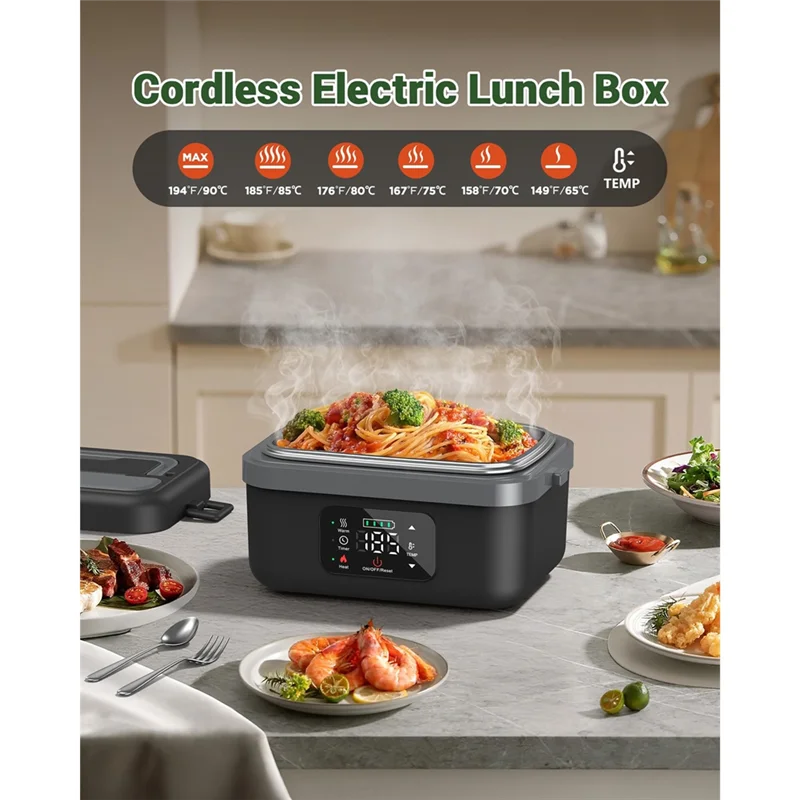
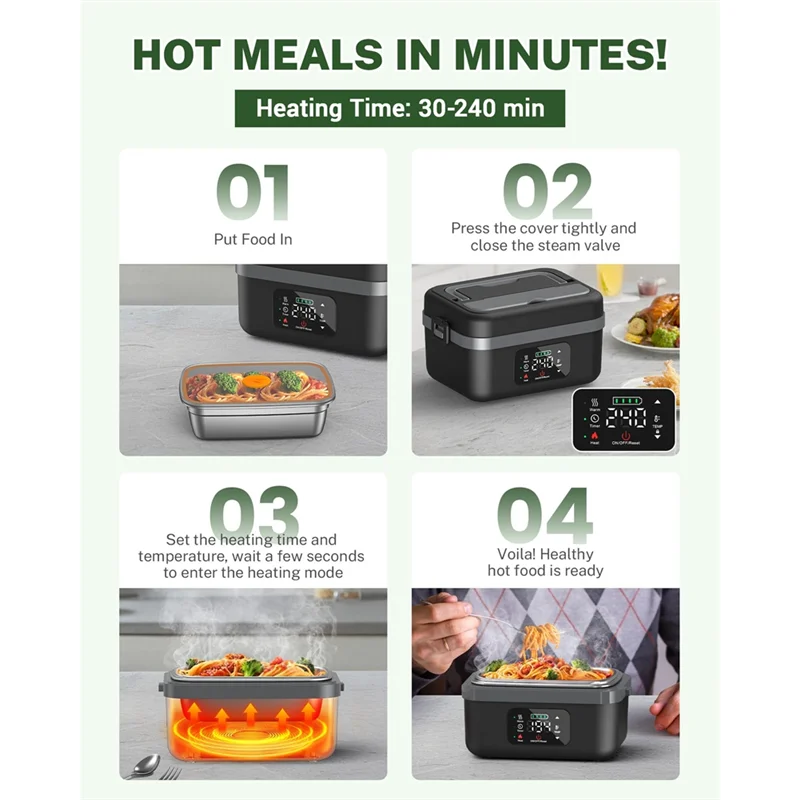
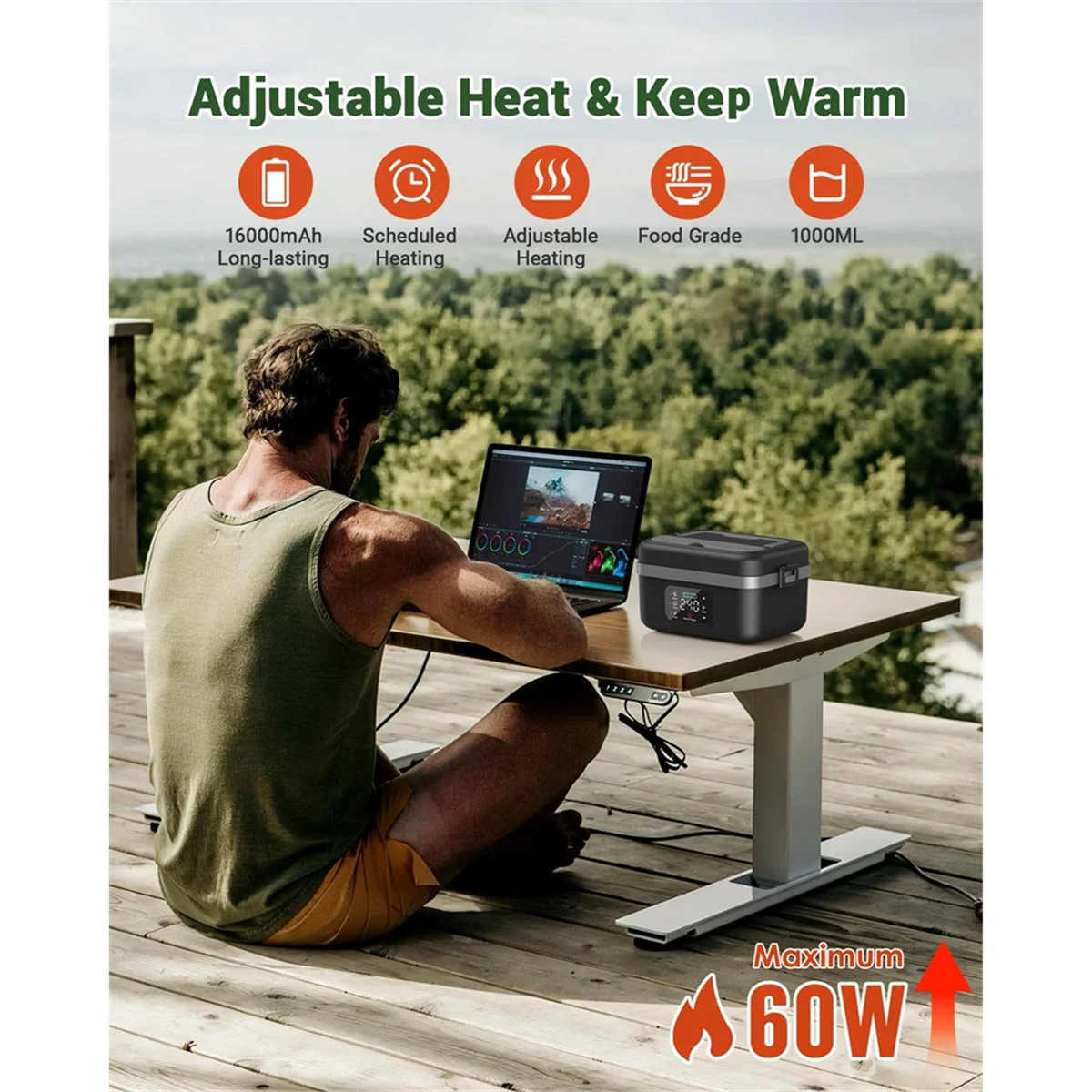
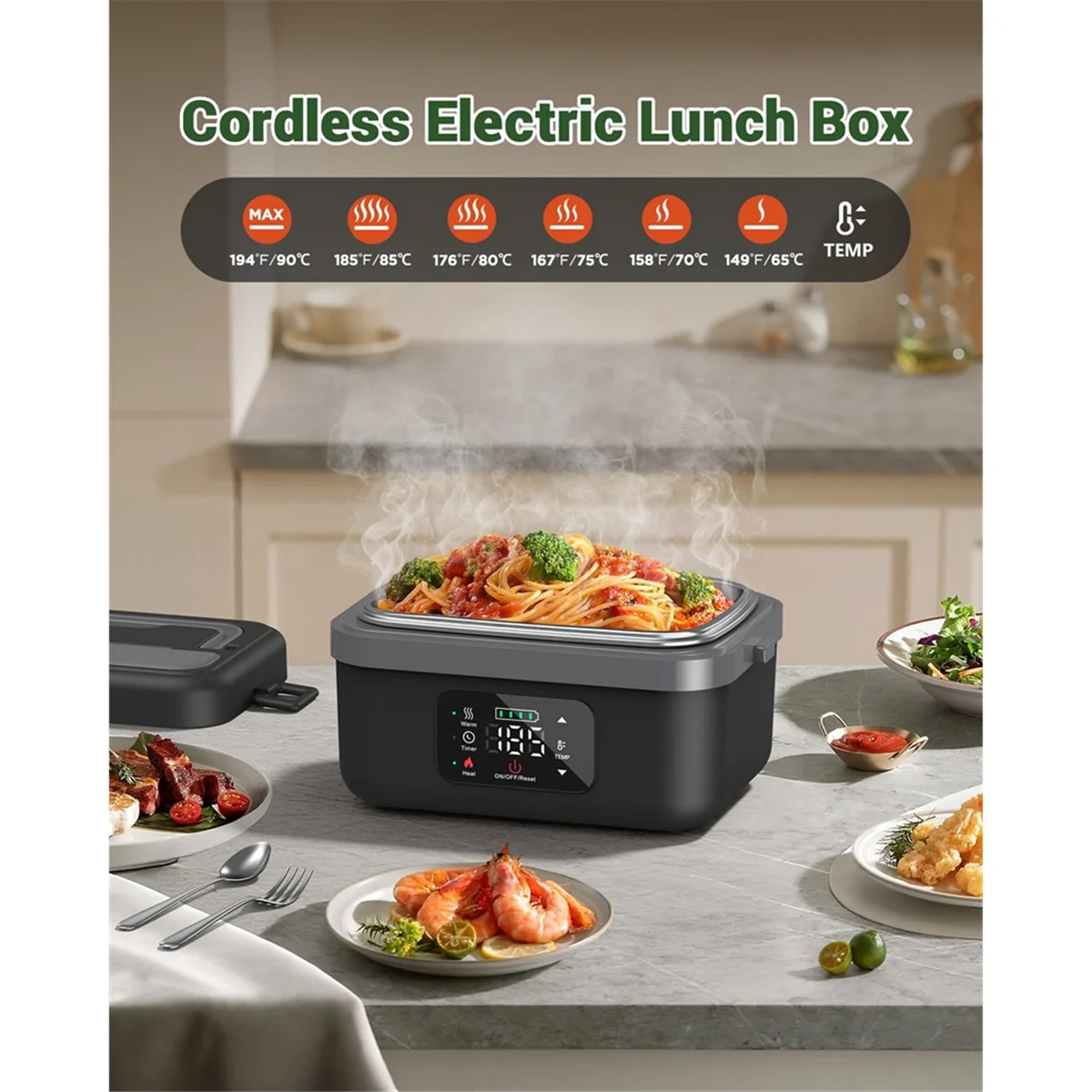
[Smart Scheduled Heating] -- With the self heating lunch box, you can set a delay for automatic heating. Simply press the "Delay" button and adjust the timer to delay heating from 30 to 240 minutes. Choose your preferred temperature (194/185/176/167/158/149℉) to ensure your meal is perfectly heated when you need it. After setting, the product interface will switch to working mode within 10 seconds.
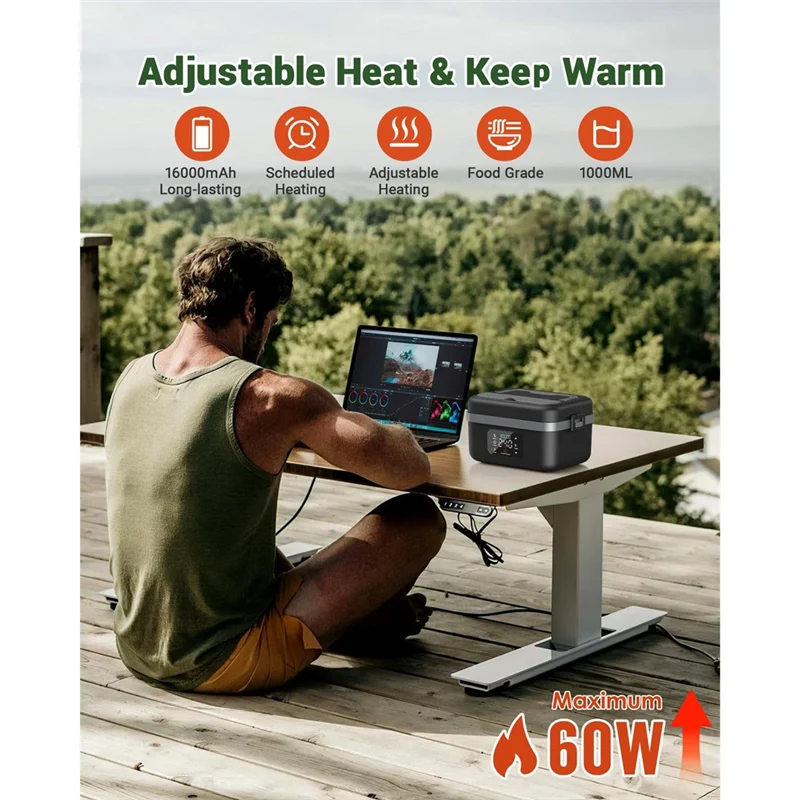
-Adjustable Temperature & Keep Warm]-- The rechargeable electric lunch box for adults delivers 60W of power, higher than most products on the market, ensuring even heating. the food warmer offers adjustable temperature settings (194/185/176/167/158/149℉) and heating times (20/30/40/50/60 minutes). After heating, it automatically switches to keep warm mode.
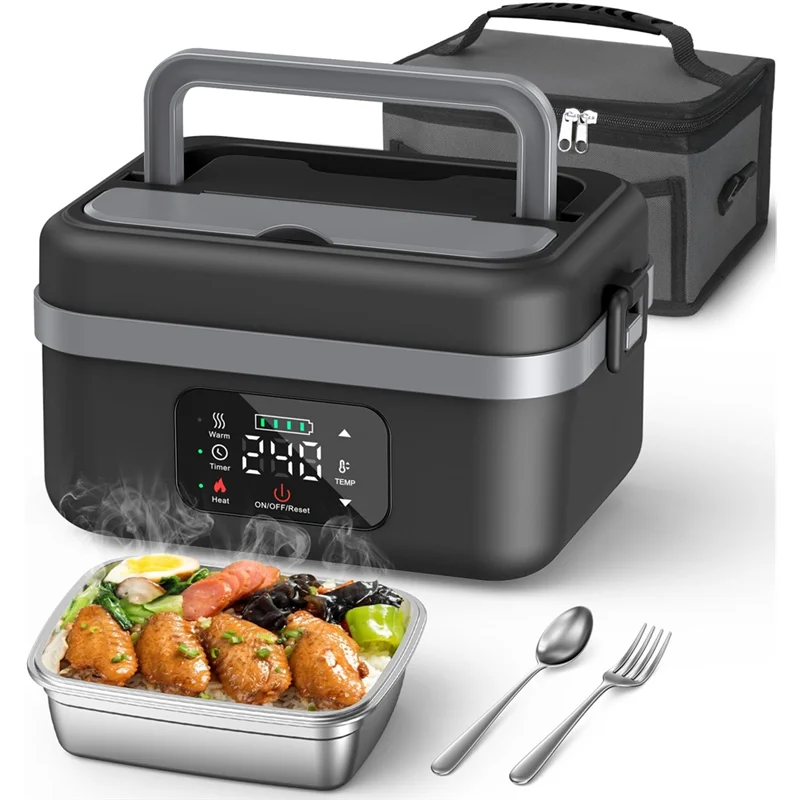
-Easy to Clean & Portable--The heated lunch box for men features a 34oz/1L removable meal container and lid, both dishwasher safe, along with a fork and spoon, This design makes cleaning easy, It also features a handle for easy portability and comes with an insulated bag for both convenient carrying and heat retention.
-Great Gift for family and friends]-- The portable food warmer lunch box is an excellent gift for blue-collar workers, office workers and outdoor enthusiasts who want a hot meal on the go. It ensures a warm lunch during long work hours or outdoor adventures like camping or traveling. A thoughtful and practical gift that keeps your loved ones well-fed, wherever they are.
How to Set Delay Mode?
1. Press "Heat" button to enter the heating mode,the indicator flashes.
2. Press "Delay" button, enter the delay mode and the indicator is on.
3. Press "UP" and "Down" to set the delay time.
4. When the indicator is on, the pre-set delayed heating mode will start.Tip: The product automatically enters the warm mode after the heating is completed.
How to Set Warm Mode?
1. Long press"ON/OFF" button, the product on/off.
2. Press"Warm" button,enter the warm mode (Default 140°F).
How to Set Heating Mode?
1. Press "Heat" button to enter the heating mode,the indicator flashes.
2. Press "UP" and "Down" to set the heating time
3. In heating mode, press"Temp" button, set the temperature.
4. When the indicator is on, the pre-set heating mode will start.Tip: The product automatically enters the warm mode after the heating is completed.
Package Contents:
1 * Lunch box
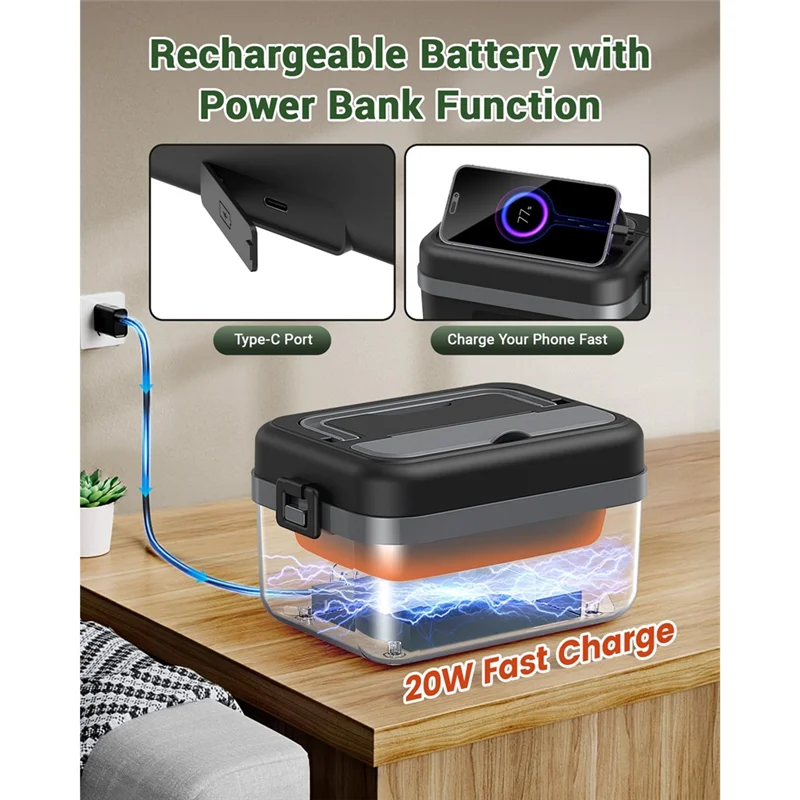
1 * Charging cable
1 * Adapter
1 * Spoon
1 * Fork
1 * Storage bag (Storage bag styles are random, no specified styles are accepted)
Only the above package content, other products are not included.
Note: Light reflection and different displays may cause the color of the item in the picture a little different from the real thing. The measurement allowed error is +/- 1-3cm.
|
|

-
If items damaged,we must be contacted within 24 hours of receipt.
-
If the item is in your possession more than 7 days, it is considered used and we will not issue you a refund or replacement.
-
If
you are not satisfied when you receive the item (incorrect, damaged,
defective, or item not as described), please return it within 7 days for
a replacement or money back.
-
For any
personal reasons (choose a dislike or i needn't this product
anymore),Return shipping charger will be the buyer's responsibility. We
will not accept any items with odors(perfume.smoke,ect.)
-
All
returned items MUST BE in the original packaging and you MUST PROVIDE
us with the shipping tracking number, specific reason for the return,
and your order ID.
Notice
Orders are subject to our Return & Refund Policy.
Certain items are final sale.
Product descriptions on this page are the final reference for specifications and return eligibility.